
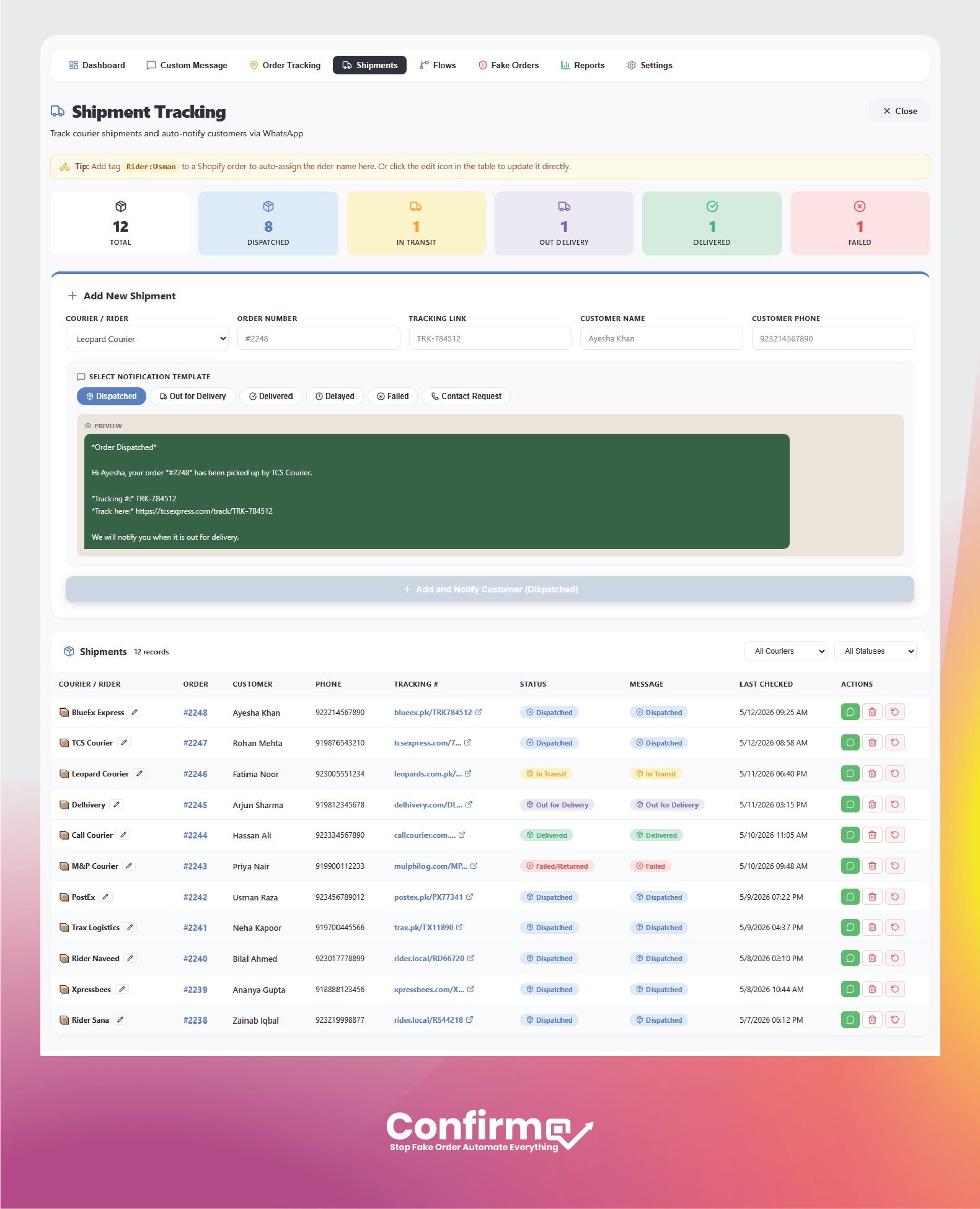
Shipment Tracking Notifications
SHIPMENT TRACKING
Keep customers updated from dispatch to delivery
Reduce “where is my order?” support messages by sending clear WhatsApp shipment updates at every important delivery stage.
- Send shipment notifications for Dispatched, Out for Delivery, Delivered, Delayed, Failed, and Contact Request
- Add courier details, tracking links, and rider names from one shipment screen
- Manage shipment records and notify customers in real time
Flexible courier updates with full control
ConfirmQ supports Leopard Courier, TCS, and custom couriers, so you can match your delivery workflow exactly. Each shipment message can include tracking details, courier information, and a custom template built for your store.
Rider assignment from Shopify tags
Assign a rider using order tags like rider:zain and ConfirmQ can automatically show the rider name inside shipments, helping your team know who picked the parcel and who is handling delivery.
Fast shipment actions
Use the action buttons to send a WhatsApp message, delete a shipment record, or mark an order as returned. Quick templates make it easy to send the right update without writing every message from scratch.
✔ Courier, rider, and tracking visibility
✔ Quick WhatsApp shipment actions
Share