
A cash-on-delivery order that was never paid for does not need a refund — it needs cancelling and restocking. Cancel before dispatch and the only cost is your time. Cancel after dispatch and you also carry the shipping. The one case that does need a real refund is a delivered COD order where the customer paid cash at the door, and that has to be handled outside Shopify because no payment ever passed through it.
Spotting a fake order is the easy part. What most merchants get wrong is what happens next.
Orders get left open for weeks because nobody is sure whether to cancel or archive. Stock stays committed to parcels that will never be delivered. Refunds get issued on orders where no money was ever collected. Then the monthly numbers make no sense, because Shopify still counts every one of those as a sale.
This guide covers exactly what to do at each stage, and why COD makes the standard advice wrong.
Refund and Cancel Are Not the Same Thing
On a prepaid store the two blur together, because you took money at checkout and giving it back is part of closing the order. On COD they are completely separate, and confusing them is what corrupts your reporting.
- Cancelling voids the order and returns the items to inventory. No money moves, because none was ever taken.
- Refunding returns money to a customer. On COD this only applies once cash has physically changed hands at the door.
The overwhelming majority of fake COD orders need cancelling, not refunding. If you find yourself issuing refunds on orders that never reached a customer, something has gone wrong in the process.
What to Do at Each Stage
| Stage | Correct action | What it costs you |
|---|---|---|
| Order placed, not yet packed | Cancel and restock | Nothing |
| Packed, not yet dispatched | Cancel, restock, unpack | Packaging and labour |
| In transit | Recall with the courier if possible, otherwise let it return | Forward shipping, usually return shipping too |
| Refused at the door | Cancel once the parcel is back and verified | Both shipping legs and handling |
| Delivered and paid in cash | Genuine refund, handled outside Shopify | Product value plus shipping |
The pattern is worth noticing. Every row down that table costs more than the one above it, and the difference between the first row and the fourth is the entire economics of COD. This is why catching a bad order before dispatch matters so much more than handling it well afterwards.
How to Cancel a COD Order in Shopify
From the order page, open the More actions menu and choose Cancel order. Three details matter more than merchants expect:
- Restock the items. Shopify asks, and the box is easy to miss. Skip it and your inventory silently drifts away from reality, which eventually causes you to oversell or to stop advertising a product you actually have.
- Choose an accurate reason. Shopify offers customer, fraud, inventory, declined payment and other. Being consistent here is what lets you filter later and see how many orders you lost to each cause.
- Decide about the notification. Shopify offers to email the customer. For a genuine cancellation, send it. For a suspected prank order, there is nothing to gain from telling them.
Cancelling is not the same as archiving. Archiving just clears the order from your open list — it stays counted in your sales, and the stock stays committed. Archiving a fake order is how stores end up with inflated revenue figures and inventory that does not match the shelf.
Refunding a Delivered COD Order
This is the case that confuses people, and the confusion is understandable: Shopify never received the money. The courier collected cash at the door and will remit it to you later, so there is nothing sitting in a payment gateway to reverse.
The refund therefore happens in two separate places:
- The actual money goes back by bank transfer, mobile wallet, or cash — whatever your customers use. Shopify is not involved.
- The record is created in Shopify by marking a refund on the order, so your reports reflect it.
Record the refund even though the money moved outside Shopify. If you skip it, that order stays in your totals as a completed sale forever, and your revenue figure quietly overstates reality.
One practical point specific to COD: check that the courier has actually remitted the cash before you refund. Remittance cycles often run one to two weeks behind delivery. Refunding money you have not yet received is a cash-flow mistake that is easy to make and unpleasant to unwind.
The Parcel Came Back — Now What?
Returned parcels are where most stores lose track, because the order sits in limbo between dispatched and closed.
- Open and inspect it before restocking. Never restock a returned COD parcel unopened. Items come back damaged, opened, or occasionally swapped.
- Cancel the order and restock only the sellable items. Anything unsellable should be written off rather than returned to inventory.
- Record the failure against the customer. This is the step almost everyone skips, and it is the one that has any future value. A refusal that is not recorded teaches you nothing, and the same buyer orders again next month.
- Reconcile against the courier invoice. You are usually charged for the return leg. Check it appears, and check you were not charged twice.
Why Your Shopify Reports Stop Making Sense
Shopify records revenue when the order is placed. On COD, payment happens days later at the doorstep, so until you cancel an order it counts as a sale regardless of whether the parcel was ever accepted.
Leave a month of fake and refused orders uncancelled and your dashboard shows revenue you never collected. That is not a cosmetic problem — it distorts the return-on-ad-spend figure you use to decide budgets, so you scale campaigns based on orders that came back.
Three habits keep the numbers honest:
- Cancel promptly. Same day where possible, weekly at worst.
- Use consistent cancellation reasons so the causes remain countable.
- Reconcile against courier remittance, not against Shopify. Cash actually received is the only number that pays your suppliers.
Our guide to measuring what COD cancellations and returns actually cost covers the full calculation.
How ConfirmQ Reduces the Cancelling You Have to Do
Every process above is damage control. It is worth doing well, but the real saving comes from having fewer orders to cancel in the first place.
ConfirmQ sends a WhatsApp confirmation the moment a COD order is placed, so customers who never intended to accept the parcel cancel themselves — at the top row of that cost table rather than the fourth. A cancellation at that stage costs you one message.
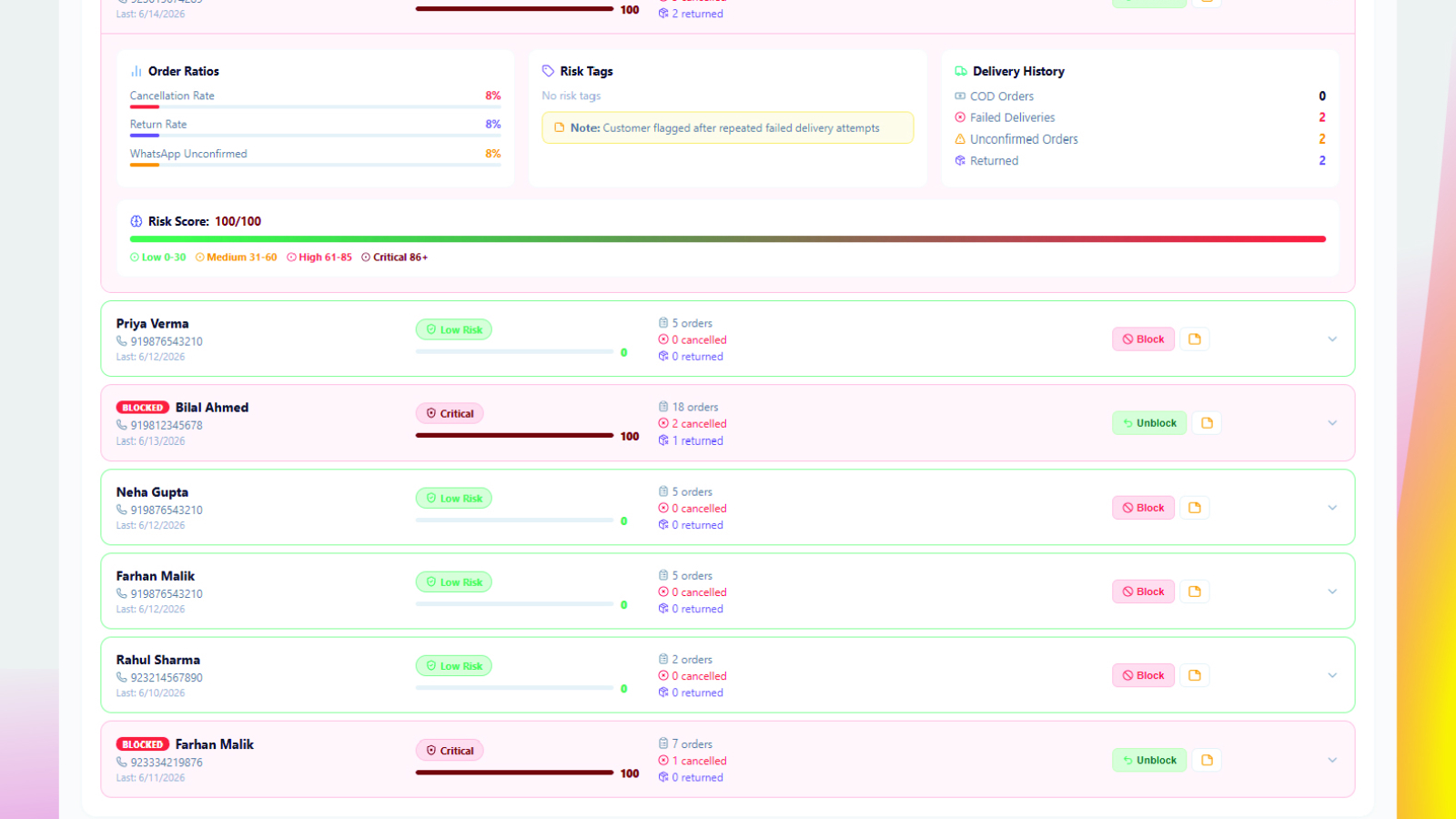
Fake order detection then keeps the record you would otherwise have to maintain by hand, scoring each customer against their own history of cancellations, returns and failed deliveries, and blocking repeat offenders before they cost you another parcel. Shipment tracking marks returns as they happen, and reports and analytics totals the real cost of cancellations and returns, exportable to Excel for reconciling against courier statements.
If you are not sure which orders to worry about, start with the nine warning signs of a fake Shopify order.
Frequently Asked Questions
How do I cancel a fake order on Shopify?
Open the order, choose More actions and then Cancel order. Tick the restock option so the items return to inventory, select an accurate cancellation reason, and decide whether to notify the customer. For a suspected prank order there is no benefit in sending the notification.
Do I need to refund a cash-on-delivery order that was never delivered?
No. If the customer never paid, there is nothing to refund. The order should be cancelled and the stock restocked. A refund only applies where cash was actually collected at the door.
How do I refund a COD order in Shopify when no payment was processed?
The money moves outside Shopify by bank transfer, mobile wallet or cash, because Shopify never held it. Then mark the refund on the order in Shopify so your reporting reflects it. Confirm the courier has remitted the cash to you before refunding.
Should I cancel or archive a fake order?
Cancel it. Archiving only removes the order from your open list — it still counts toward revenue and keeps the stock committed. Archiving fake orders is a common cause of inflated sales figures and inventory that does not match reality.
Does cancelling an order restock inventory automatically?
Only if you tick the restock option during cancellation. It is easy to miss, and skipping it leaves your inventory counts drifting steadily away from what is actually on the shelf.
Do cancelled orders hurt my Shopify store?
Cancelled orders carry no penalty from Shopify itself. What does damage you is leaving them uncancelled, because they inflate your revenue and distort the return on ad spend you use to set budgets, which leads to scaling campaigns on orders that were never collected.
Cancelling too many orders? ConfirmQ confirms every COD order on WhatsApp before you pack it, so unwanted orders cancel themselves before they cost you shipping. Install ConfirmQ from the Shopify App Store or view pricing plans.
Related: How to Block a Customer on Shopify: The Guide for COD Stores

